
How do I reconcile a drawdown from CCLA?
This article explains how to reconcile a drawdown from CCLA (Churches, Charities and Local Authorities Investment Management Limited).
How you reconcile the drawdown will depend on whether the money legally belongs to your organisation or to another organisation.
In this article:
Scenario 1: The CCLA account money legally belongs to your organisation
Scenario 2: The CCLA account money legally belongs to another organisation
Scenario 1: The CCLA account money legally belongs to your organisation
If your organisation holds money in a CCLA account, then typically:
- the money in the account legally belongs to your organisation, and
- the money will have been included as a cash asset in your prior year accounts.
In this case, when you draw down funds to another bank account, you shouldn’t treat the drawdown as income, because the money already legally belongs to your organisation. Instead, the drawdown should be treated as a 'transfer between bank accounts'.
If the money legally belongs to your organisation but hasn’t been included in your prior year accounts, you should speak to your Independent Examiner about how best to rectify this.
In order to reconcile the drawdown as a transfer between bank accounts, you will need to complete the following 3 steps:
1. Setting up your CCLA account in ExpensePlus
If your organisation holds money in a CCLA account, then you need to have set up your CCLA account as a bank account within ExpensePlus. To do this:
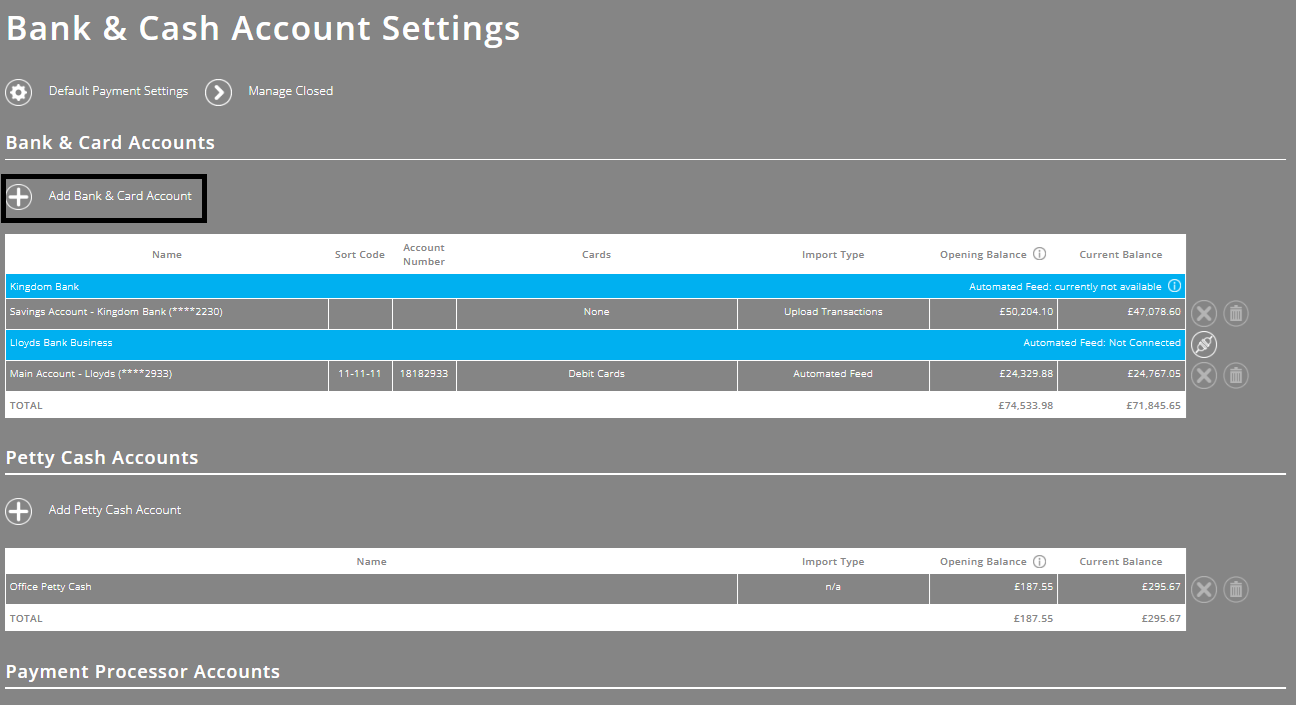
- In the Bank & Cash Account Settings screen, click the ‘Add Bank & Card Account’ button then, in the pop-up that appears, add the account details.
If you are adding a bank account, but not seeing an option to add an opening balance, this will be because your opening fund balances are locked. Click here to unlock them.
If you are adding a new bank account with an opening balance, don't forget to also update your opening fund balances to include this additional cash balance.
For more information, see Setting up opening fund balances.
2. Uploading transactions for your CCLA account into ExpensePlus
As with all bank accounts, you need to upload the transactions that are shown on your CCLA statement into ExpensePlus. As CCLA don't provide statements in spreadsheet format, you will need to manually upload transactions.
For more information on how to do this, see How do I manually enter bank transactions?
3. Reconciling the drawdown as a transfer between bank accounts
Once you have uploaded both the outgoing CCLA bank transaction and the incoming bank transaction into your main bank account, you will then be able to reconcile these transactions, as a transfer between bank accounts.
For information on how to do this, see Transfer between bank accounts.
Scenario 2: The CCLA account money legally belongs to another organisation
If the CCLA account from which you’re drawing down money belongs legally to an outside organisation, then the drawdown will need to be recorded as income.
When reconciling this bank transaction, you will need to choose the ‘other income’ option.
For more information, see How do I record income transactions?
To help you better understand the Investments module, please visit the module overview page here.