
Amazon has split my order into multiple payments and now I can't bank match it
Typically, suppliers take one payment for the total amount. Amazon often splits an order into multiple orders, which then results in multiple payments being taken.
This doesn't cause any issues where the purchase is being claimed back from the organisation as an expense claim.
Where the payment is made as business card purchases using the organisations debit/credit card, this can cause an issue, if the payments are taken on different dates.
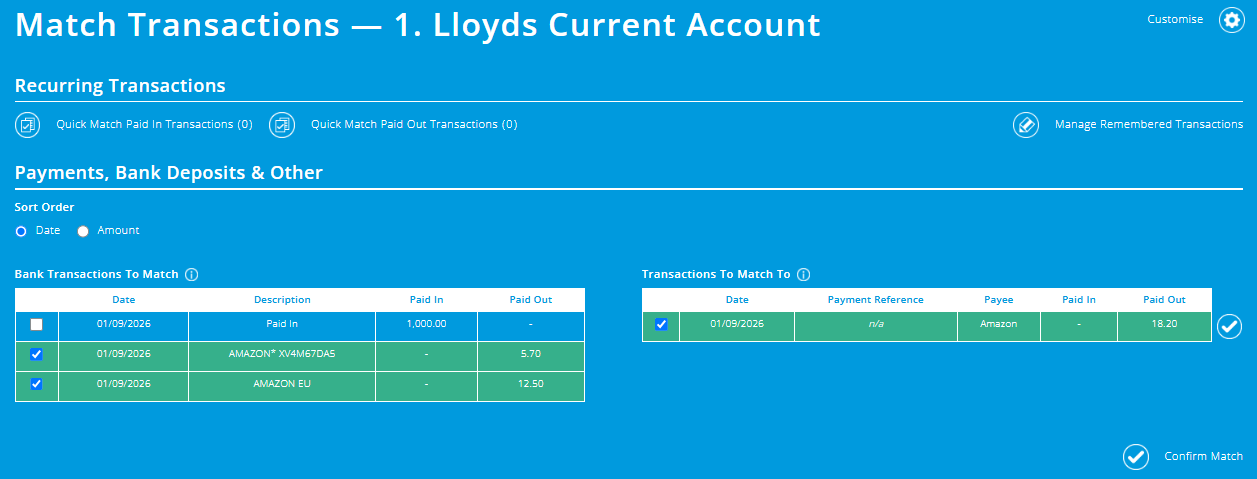
Payments for the order are taken on the same date
If the multiple payments have the same payment dates, then you will be able to multi-match these transactions - find out more
Payments for the order are not taken on the same date
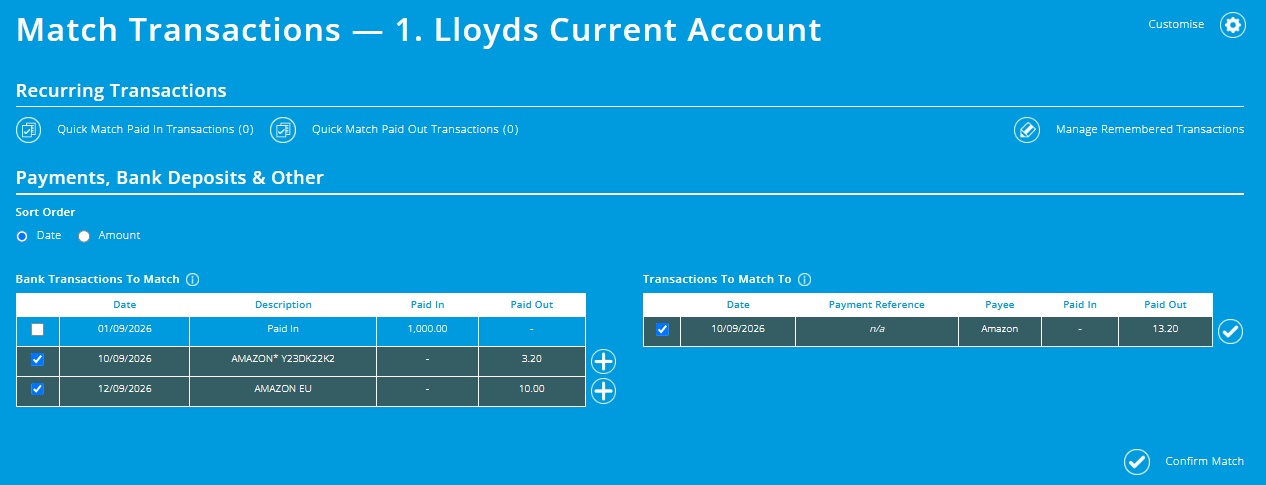
If the payments have different payment dates, you won't be able to match these
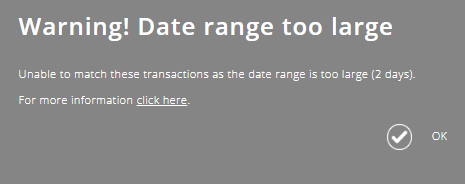
If you try to, you will see this warning message.
Where Amazon splits an order, and takes payments on different dates, you will need to enter the payments taken as separate purchases within the purchases module within ExpensePlus (based on how Amazon splits your order).
In the above example, you would need enter a Business Card purchase for £3.20, and another Business Card purchases for £10
In most cases, Amazon issues invoices that match the payment amounts taken from your card. So where you have one order but multiple card transactions, you will likely be able to find invoices for each card transaction that you can add to ExpensePlus individually.
These invoices are separate from your initial order summary and are only available after the items are dispatched.
If you have already entered a single Business Card purchase, but two payments have been taken on different dates, then the quickest way to resolve this is to:
- Click into the business card purchase on the right-hand table of the bank matching screen, and adjust the payment amount to be the amount of the first payment taken
- Reconcile the first bank transaction on the left hand table, to this updated business card purchase on the right hand table
- Click on the second bank transaction on the left hand table, and in the 'add transaction' popup, enter the details for this business card transaction
- Within the receipt screen, upload the receipt for this business card purchase (you may wish to upload the same receipt as the first business card purchase).