
Our bookshop operates as a semi-autonomous entity. How do I handle this in invoicing?
This article explains how to create a separate invoice profile if part of your organisation needs to appear as a 'separate' entity, or is an individually branded initiative or activity. Examples of this might be if your organisation has a conferencing arm, or a bookshop or cafe.
This article relates to departments or semi-autonomous areas within your organisation, not to separate legal entities. If there is a separate legal entity, you may be best served by using a completely separate ExpensePlus account for that entity.
In this article:
Creating a separate invoice profile
To create separate invoices, using different logos, colour schemes, bank account details and footer information, you will first need to create a separate invoice profile. For details of how to do this, see Getting started with customer invoicing.
Your invoice profile also includes things such as payment terms and payment details, etc. Our Help Guide article, Invoice settings, explains more about invoice profiles.

Using separate invoice templates
You may want to use this separate invoicing profile to create invoices that allocate income to categories within a particular fund. For example, if you have a separate cafe fund or bookshop trading fund, you could use different invoice templates to allocate invoiced income to these different funds, which would help to simplify your accounting.
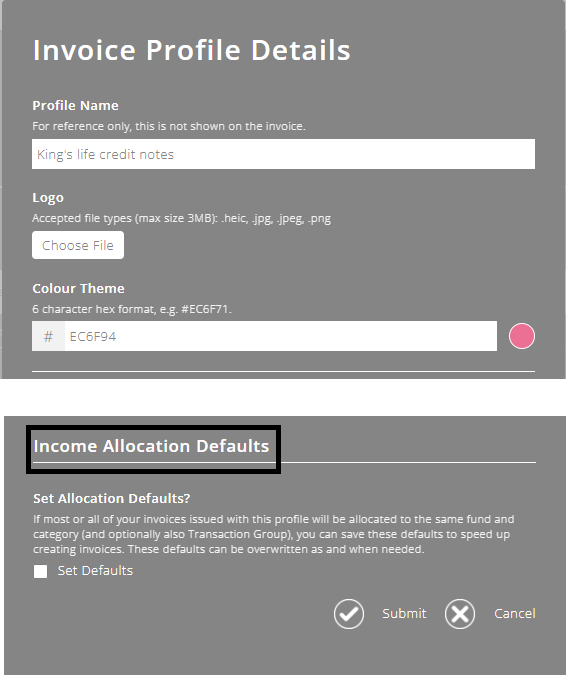
You can set a default income allocation, at the bottom of the Invoice Profile Details screen.
To help you better understand the invoicing module as a whole, please visit the module overview page here.