
Can I change my dashboard view?
ExpensePlus has two dashboard views. This article explains each dashboard view, including how to switch between them.
'Process Flow' dashboard view
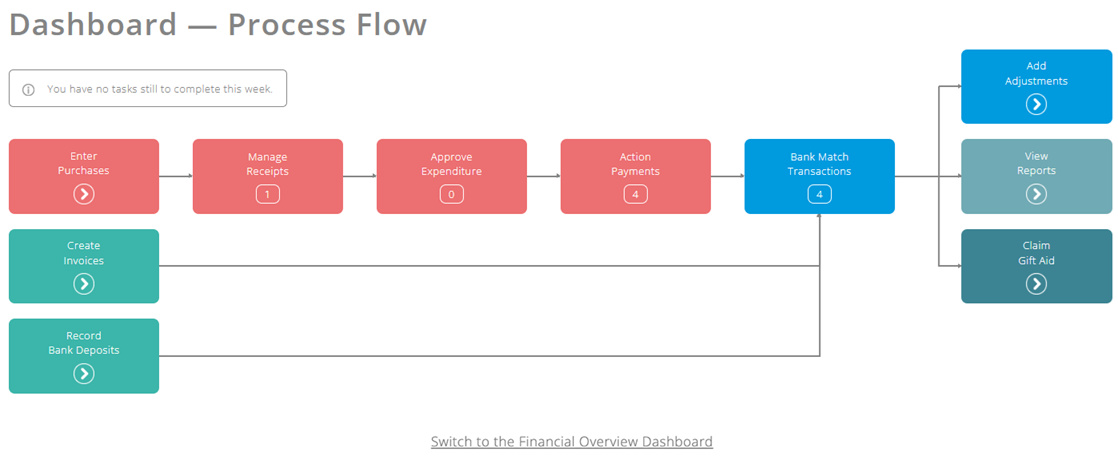
The 'Process Flow' dashboard view shows a diagram of the ExpensePlus workflow, with a number indicating any tasks you need to do in each of the modules.
'Financial Overview' dashboard view
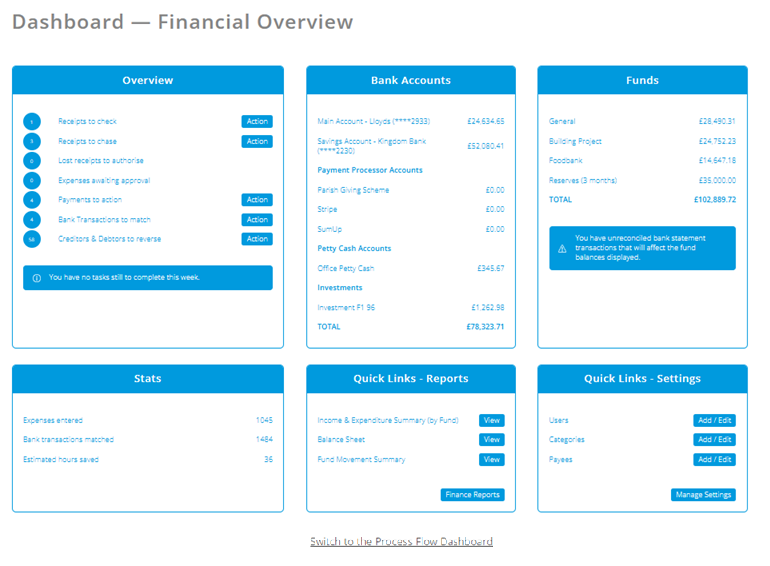
The 'Financial Overview' dashboard view gives a detailed real-time analysis of account balances, fund totals and administrative tasks.
Switching between the two views
You can easily switch between these views using the central button at the bottom of the dashboard screen:
