
What is the Fixed Asset Summary Report?
This article explains what the Fixed Asset Summary Report is.
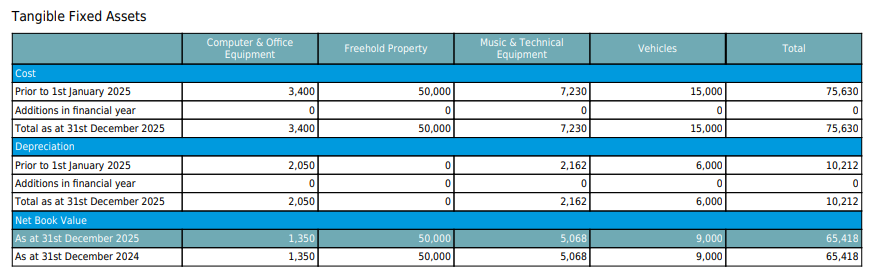
The Fixed Asset Summary Report provides a summary, by asset type, of assets that have been capitalised and depreciated, including their Net Book Value.
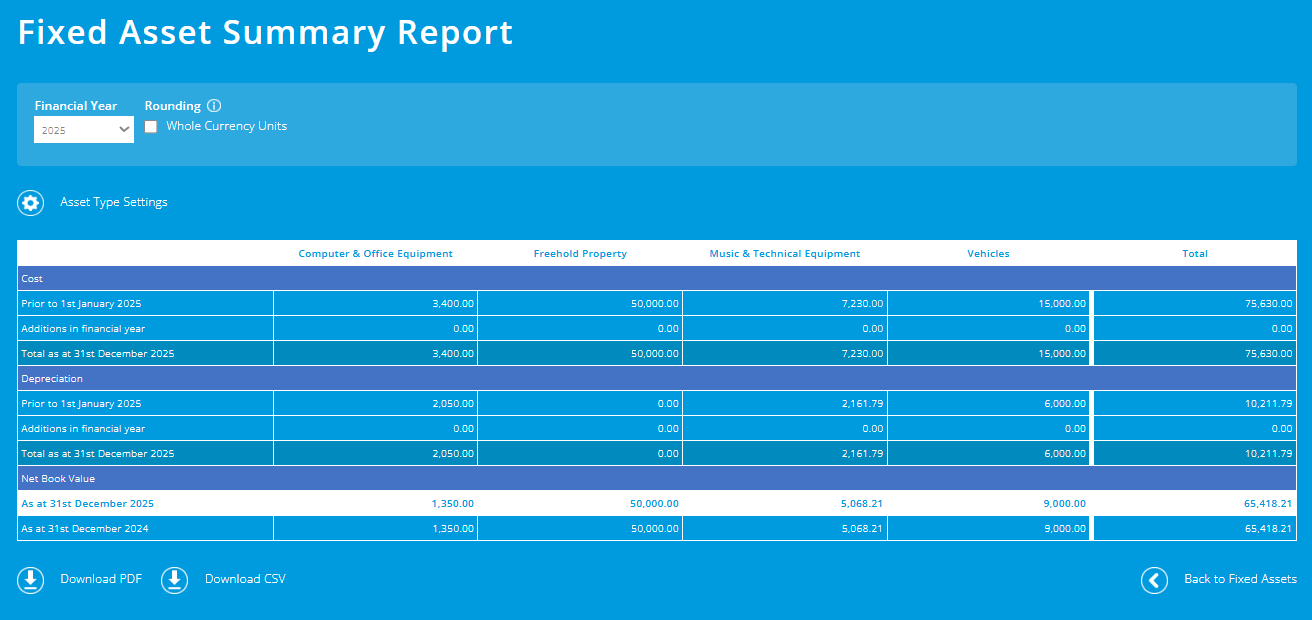
The report is relevant for churches and charities that create accounts on an accruals basis, and forms part of the notes to the year end accounts.
Customising asset types
Asset types can be customised within the Asset Type Settings screen. However, we wouldn't typically recommend customising them, as they are the standard asset types that appear within charity accounts.
Fully depreciated fixed assets
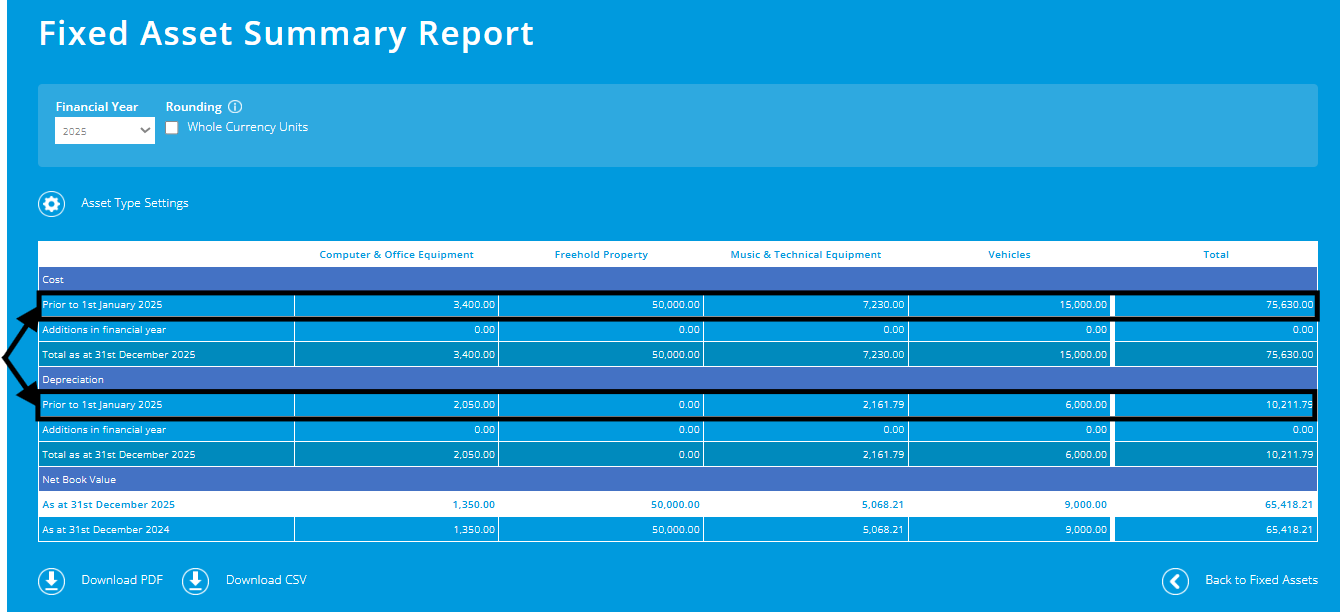
When setting up your opening fixed assets, in addition to entering opening assets that have a positive Net Book Value (and therefore form part of the total shown within your balance sheet), it's also possible to record fully depreciated fixed assets - see the 'Assets with nil Net Book Value' section in this support article.
Rather than entering each fully depreciated asset individually, you can group them by asset type, entering one opening asset line per asset type for all fully depreciated assets.
Fully depreciated assets are shown within the Fixed Asset Summary Report.
To learn more about fixed assets, see our 'Fixed Assets in Charity Accounting' blog article.
To help you better understand the Fixed Assets module, please visit the module overview page here.