
Can I download a payment file to upload to my bank account?
This article explains that for some banks, you can download a payment file from ExpensePlus, which you can then upload to your bank account. This allows you to make payments more quickly and reduces the risk of errors.
Banks that allow upload of a payment file
Where specific banks allow for bulk uploading of payments via a CSV file, you can download the payment file in the required format for that bank from ExpensePlus. Currently, you can download a CSV payment file if you use the following banks:
- Virgin Money
- Unity Trust Bank
- NatWest Bankline
- Ulster Bank Bankline
- Royal Bank of Scotland Bankline
How do I download the CSV payment file?
You first need to ensure you have set your bank account to the correct provider. If you don't do this, the button to download the payments file will not appear. For some banks, such as NatWest, there are multiple options for the provider. In this example, you must select 'NatWest Bankline' as the provider; if you select 'NatWest ', the button will not appear.
If you use one of the banks mentioned above, you can download the CSV payment file from the Payments screen on ExpensePlus.
Scroll to the bottom of the screen, and click on the option that says 'Download Payment File'.
Don't click on the 'Download CSV' button. If you do this, the file will not be downloaded in the format required by your bank.
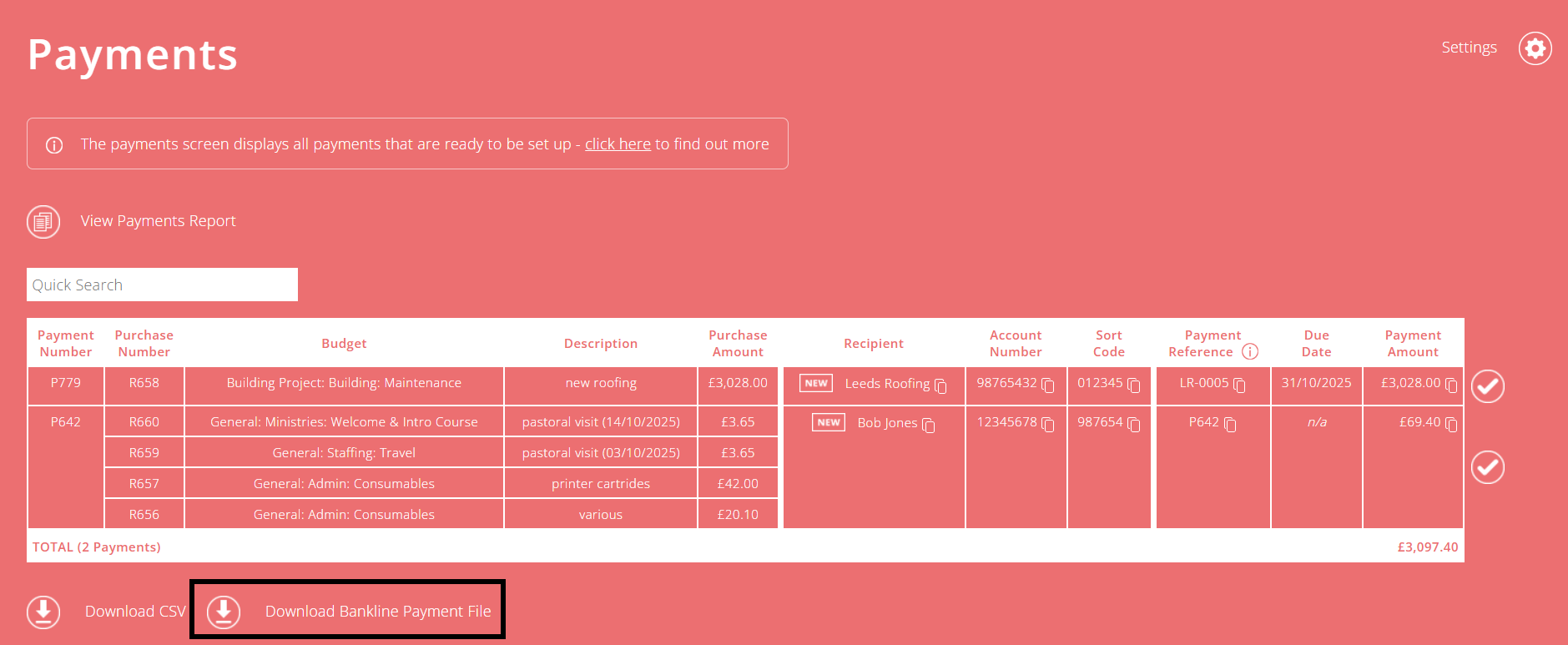
To view the option to download the payment file, you must have the specific bank for which you want to download the file set as the 'Default' payment account. You can change this in Payment settings.
If the option to download the payment file is visible but greyed out, it is likely because one or more of your recipients is missing payment details. To add the payment details for a recipient, in the column for Account Number and Sort Code of that purchase, click on the button that says 'add'. In the pop-up, add the details, then click Submit.
Why can't I download a payment file for my bank?
ExpensePlus does not provide a payment file for banks other than those listed above because most business banking platforms don't support the upload of payment files of any kind. Of those that do accept uploads, all require a different format.
Additionally, ExpensePlus does not offer a download of the standard BACS file format, because this is also not accepted by most business banking platforms.
If you believe your bank offers the ability to upload payment files as a CSV, please send us a message with a template CSV, and it may be possible to create the option to download a payment file from ExpensePlus.
To help you better understand the Payments module, please visit the module overview page here.