
How do I record investment gains or losses?
This article explains how to record investment gains or losses in ExpensePlus.
This article is for churches and charities that account on an accruals basis.
In this article:
Recording investment gains or losses
Investment gains and losses are recorded within each specific investment, accessed via the Investments module.
Simply click on the investment you wish to record a gain or loss against, then click 'Record Investment Gain' or 'Record Investment Loss'.
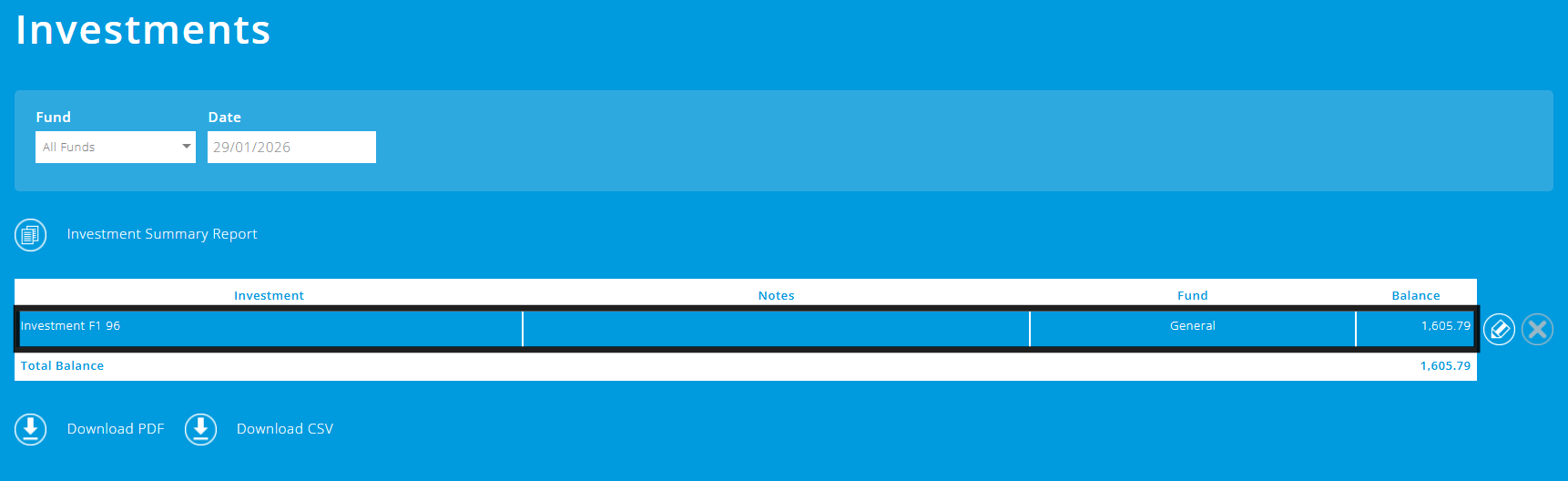
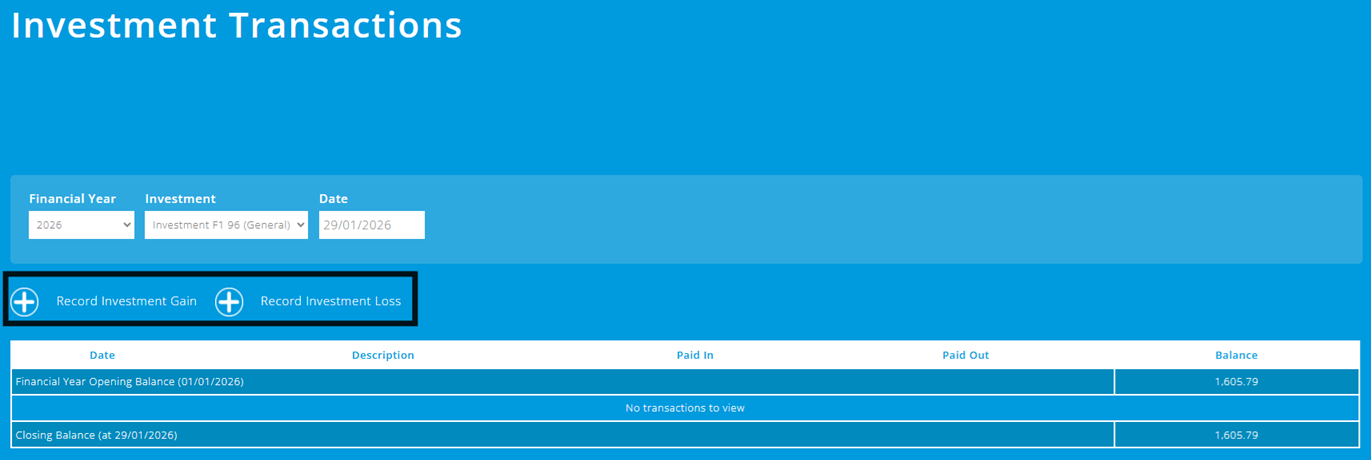
In the pop-up that appears, you can make the accounting adjustment by entering the details of the gain or loss. This will then be reflected in the investment table, as shown below:


What if the investment gain is paid into our bank account?
Often the investment gain is retained and reinvested in the investment.
However, if money from an investment gain is paid into your bank account you will need to:
- first, add the 'investment gain' to the investment account (to increase the value of the investment);
- then, match the money paid into your bank account as 'Investment Returned'.
This will cause the investment balance to decrease back to the originally invested amount.

In accruals accounting, money paid into your bank account from your investment is not classed as income, as it is a transfer between your investment asset and your cash asset.
To help you better understand the Investments module, please visit the module overview page here.