
Does ExpensePlus support GoodBox?
This article explains how to process GoodBox payouts and fees. It also gives information about payment processors supported by ExpensePlus, and outlines why GoodBox isn't a supported payment processor.
In this article:
Why isn't GoodBox a supported payment processor?
Reconciling GoodBox payouts appearing on your main bank account statement
ExpensePlus enables you to efficiently reconcile money collected via 3rd party payment processors such as Stripe, GoCardless, Parish Giving Scheme, SumUp and many more, as well as Stewardship - find out more.
There are typically 2 options for handling such income:
- Split out the payments manually, using the 'mixed income' option - this can be a good option where you have only a small number of transactions, or where you wish to bulk together similar income transactions and fees (note this is the only option for payment processors not supported by ExpensePlus).
- Add the payment processor as a payment processor account, allowing you to upload transactions and reconcile them - this is typically the more efficient option where you require a breakdown of donations and where you receive more than just 4-5 donations per month (note that this option isn't available for GoodBox, as GoodBox isn't a supported payment processor).
Why isn't GoodBox a supported payment processor?
The reason GoodBox isn't a supported payment processor is due to the poor quality of the payout report provided by Goodbox - the reports include neither the donation purpose nor a donor name or card number for each donation. (You may want to read our Top tips to help you choose a payment processor.)

Reconciling GoodBox payouts appearing on your main bank account statement
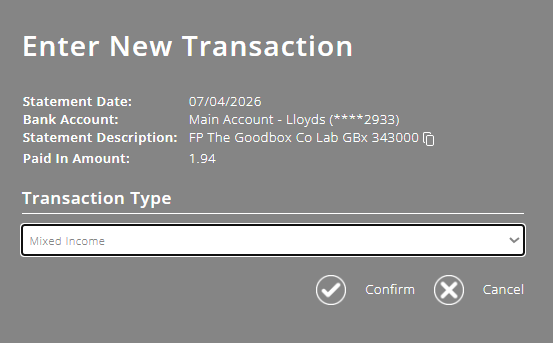
When reconciling your uploaded bank transactions on your main bank account statement, click on the payout from GoodBox on the left-hand table of your match transactions screen, then, within the pop-up that appears, select the transaction type 'Mixed Income'.
Within the 'Mixed Income' screen, enter the details for the transactions in the GoodBox payout:
- enter the total gross donations figure as a line in the 'GASDS Donation' section
- enter the aggregated fees charged as a line in 'Less Fees' section.
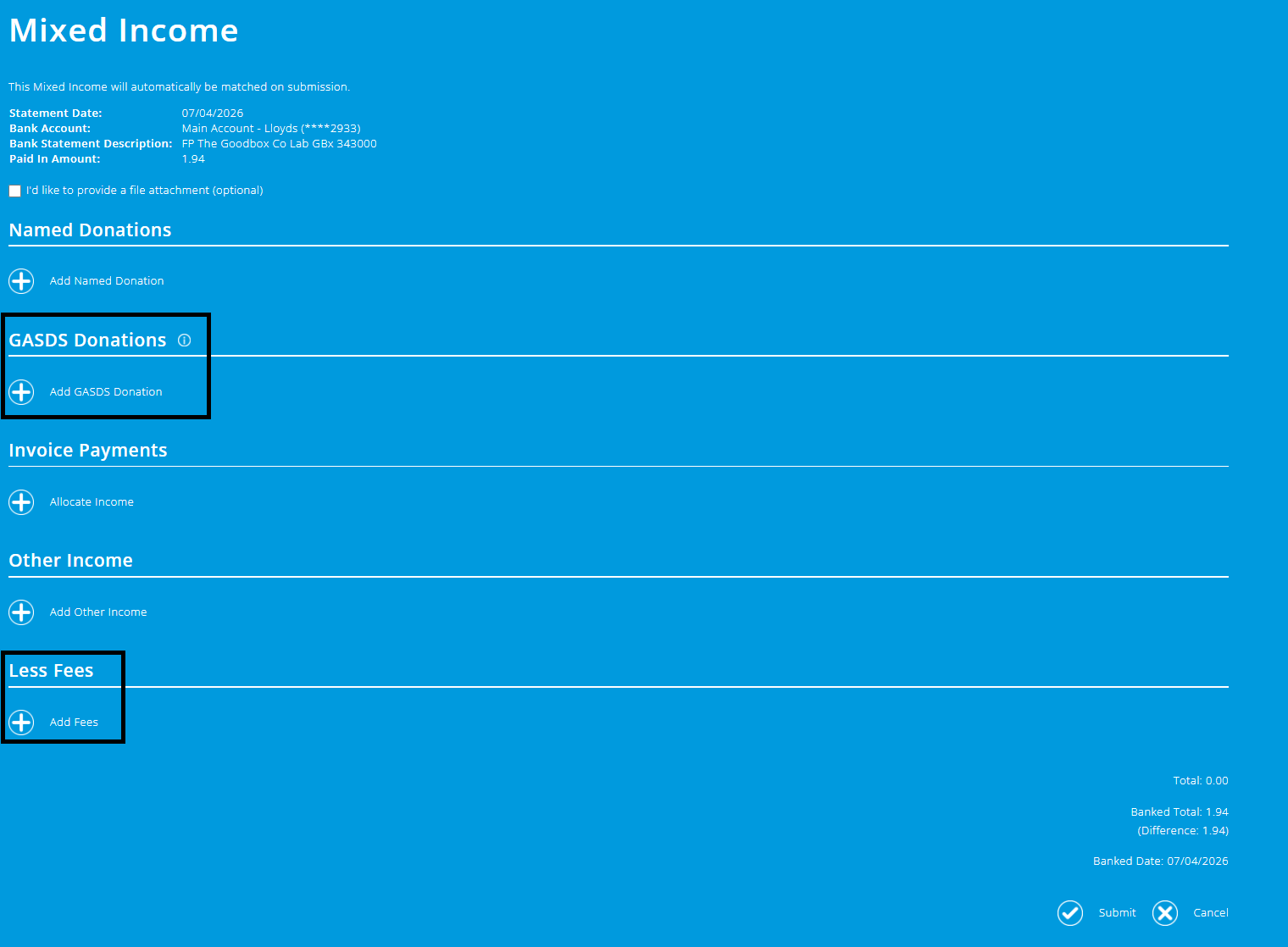
Where a donation amount is >£30 or you have reached the GASDS threshold for the tax year, the income should instead be recorded in the 'other income' section to avoid GASDS being incorrectly claimed.
To better understand the Bank Reconciliation module, please view the module overview video here.