
What is the Balance Sheet report?
The Balance Sheet report within ExpensePlus is one of the key financial reports for all charities that create accounts on an accruals basis.
The balance sheet isn't a financial report that is used for Receipts & Payments accounting (also known as cash accounting).
In this article:
What's in the Balance Sheet?
The top sections of the Balance Sheet show:
- Assets – what the charity owns or is due to receive, including cash, investments, fixed assets, accounts receivable, and prepayments.
- Liabilities – what the charity owes or is due to pay out, including accounts payable, deferred income, and loans.
The bottom sections of the Balance Sheet show:
- Net assets – assets minus liabilities
- a breakdown of the total net assets by fund.
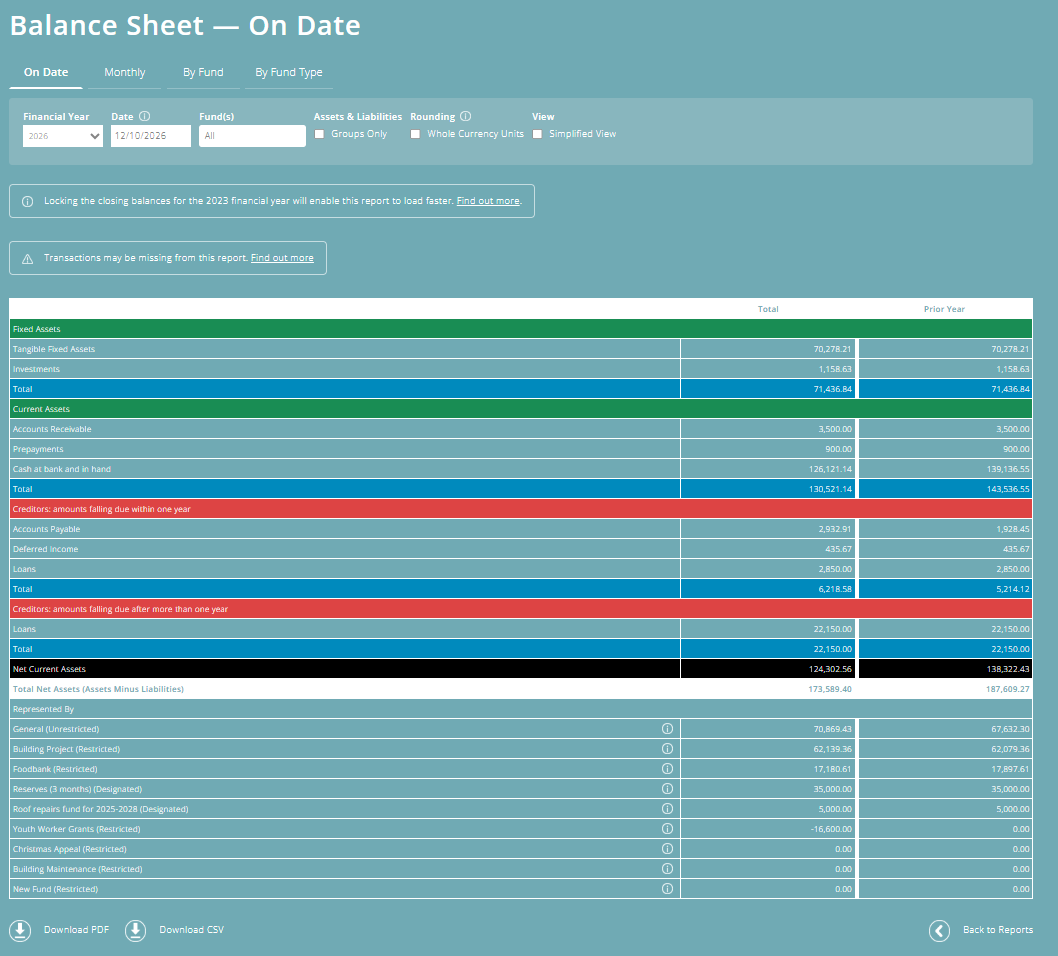
Different ways to view the Balance Sheet
Within ExpensePlus, there are four different views for the Balance Sheet report, indicated by the four tabs across the top of the screen:
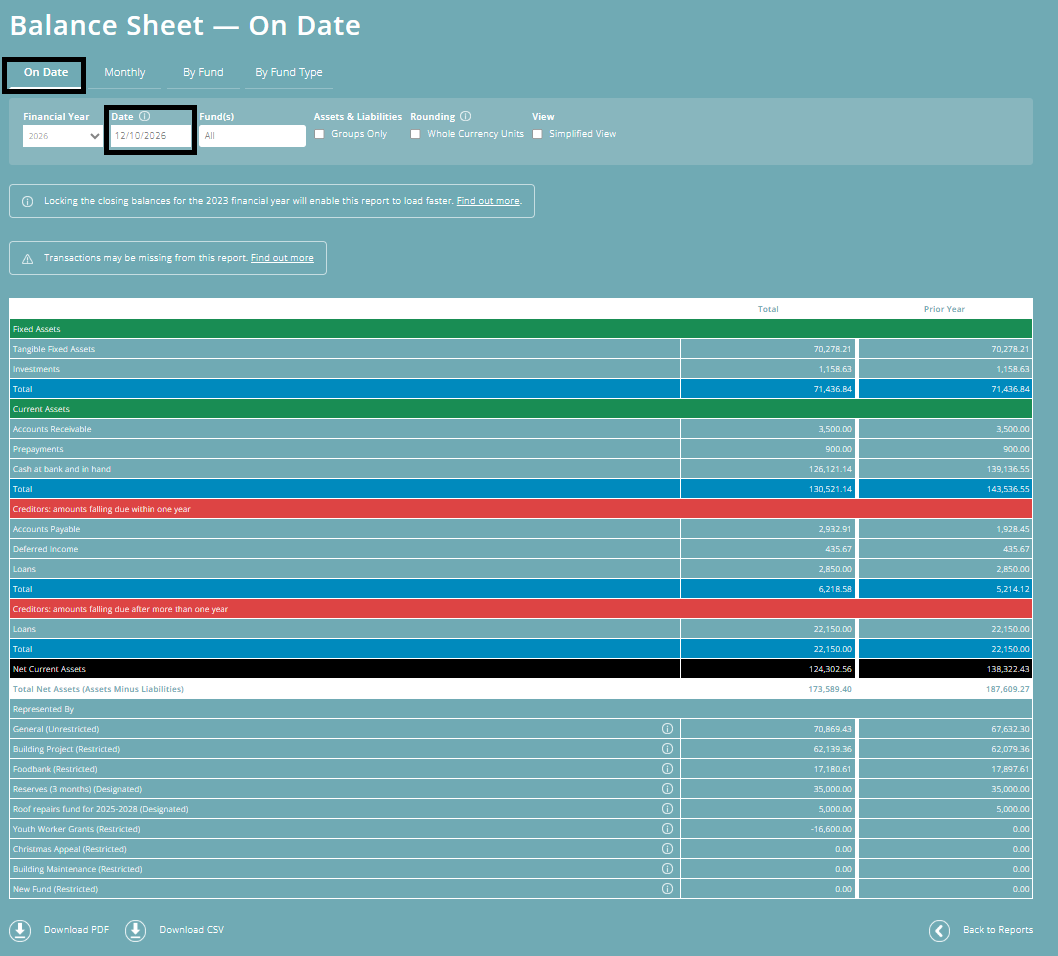
On Date
This is the classic version of the Balance Sheet. It shows a breakdown of assets and liabilities on the selected date, together with a final column that shows the breakdown at the end of the prior year.
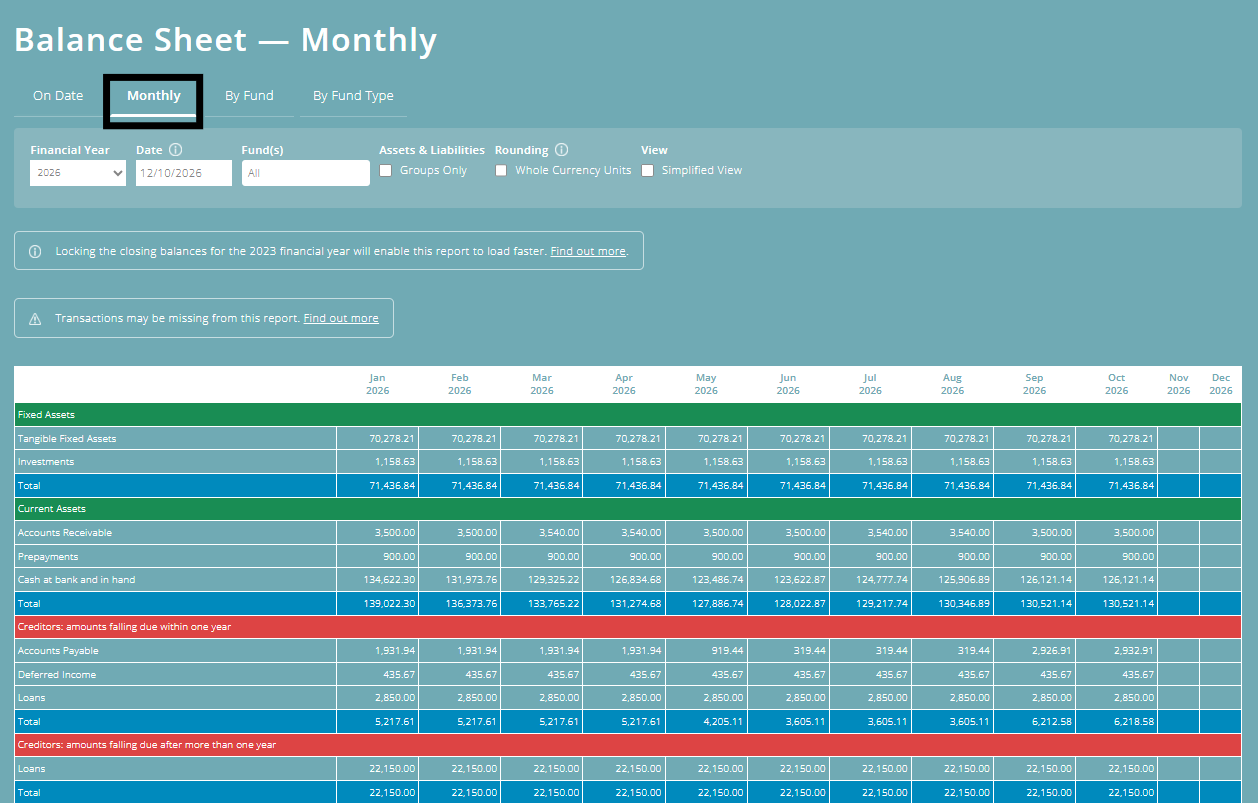
By Month
This version of the Balance Sheet allows you to track what is happening with the charity's assets and liabilities during the financial year. It's particularly useful for spotting trends, e.g. that your cash balance is reducing month on month.
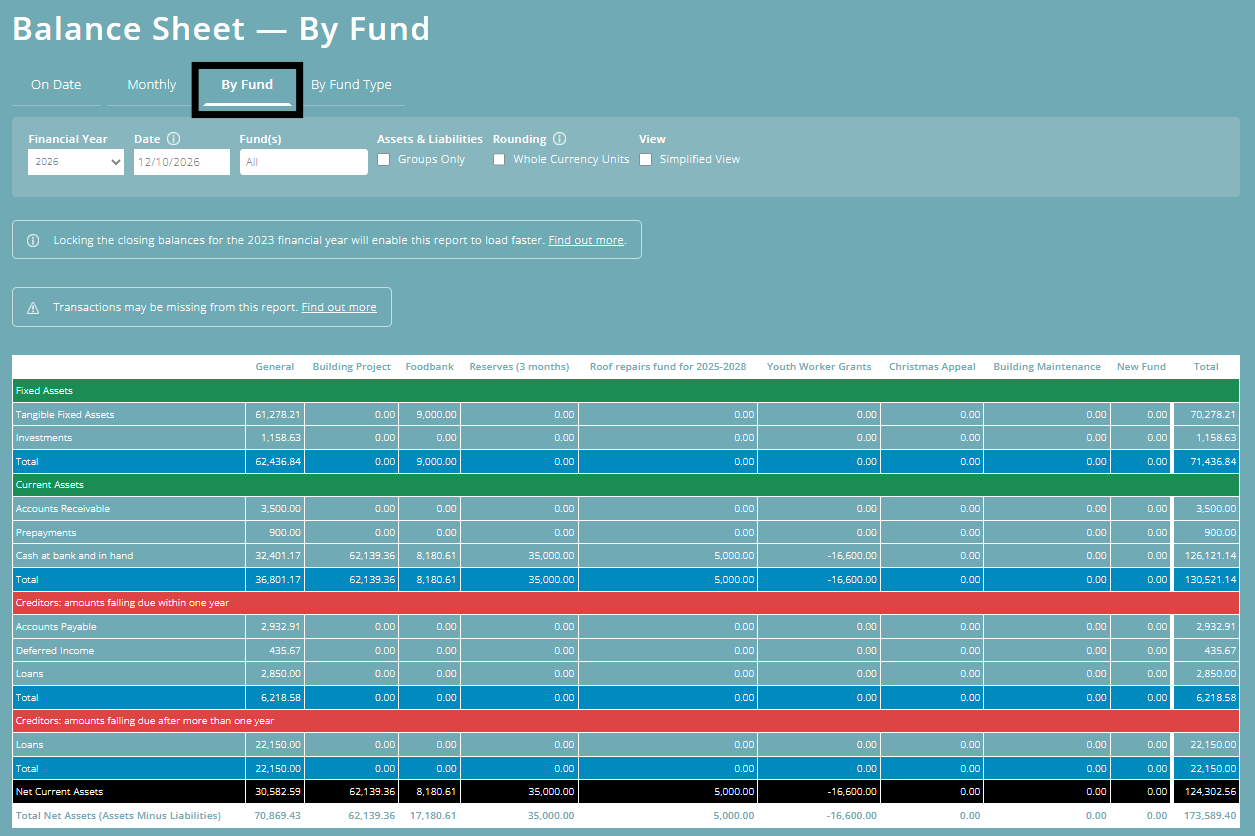
By Fund
This version of the Balance Sheet is super helpful where you want to view which fund a particular asset or liability balance relates to - for example, if you want to find out which funds make up your accounts receivable amount.
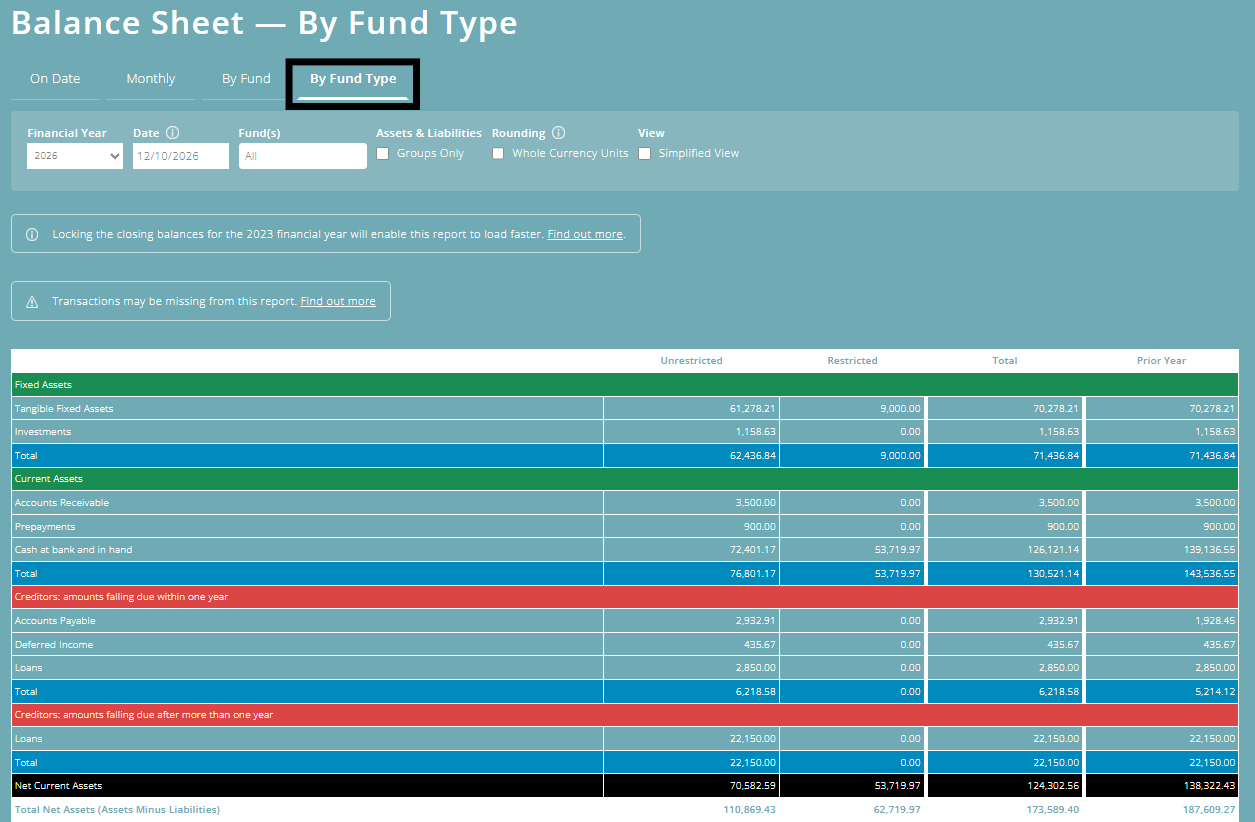
By Fund Type
This is the year end version of the Balance Sheet in your year end accounts. If you use the year-end accounts template within ExpensePlus, this data is automatically pulled through to that template.
Other options within the Balance Sheet report
The Balance Sheet report within ExpensePlus is drillable, enabling you to click through to view a breakdown of the amounts shown.
The 'Groups Only' option at the top of the report allows you to create a summarised version of this report, and the 'Whole Currency Units' option enables you to round figures to the nearest pound.
Read this blog article to find out more about: What is the Balance Sheet in Charity Accounts?
To better understand the Finance Reports module, please view the module overview video here.